 Counterpunch
Workspace tour
Counterpunch splits work into focused views so you are not staring at every control at once. Learning what each view is for makes switching faster and reduces accidental edits.
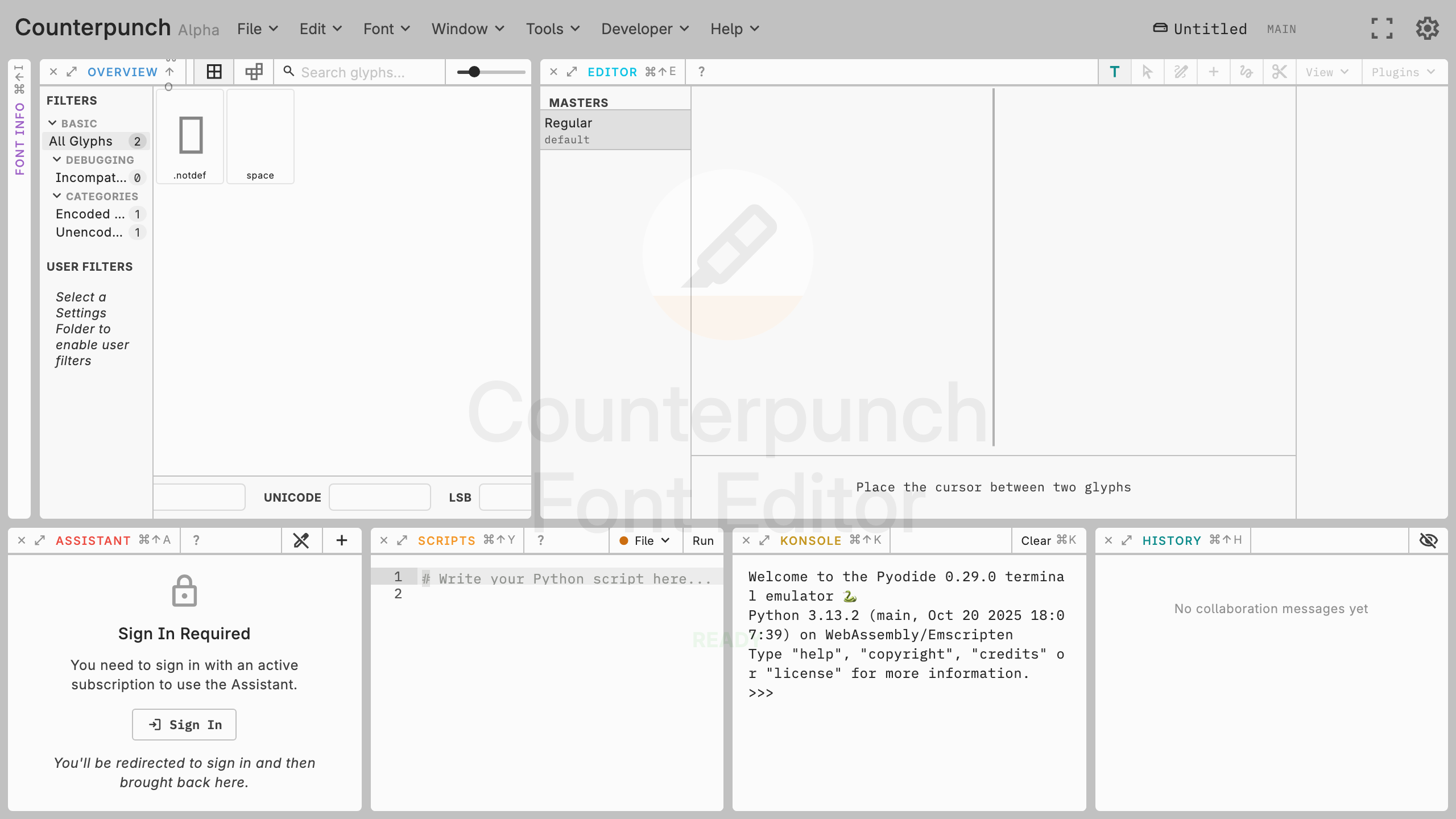
- Font Info (
Cmd/Ctrl+Shift+I) holds General, Names, Axes, Masters, Instances, Custom OT Values, and OpenType Features. - Overview (
Cmd/Ctrl+Shift+O) shows all glyphs at once for scanning and selection. Glyph filters allow to look at a shorter selection only. - Editor (
Cmd/Ctrl+Shift+E) is the main drawing canvas. You start by typing text and double-click on glyphs to edit them. - Assistant (
Cmd/Ctrl+Shift+A) inspects the font, drafts scripts and glyph filters, and can change font data (if you allow it). - Scripts (
Cmd/Ctrl+Shift+Y) is for editing reusable Python scripts and glyph filters. - Konsole (
Cmd/Ctrl+Shift+K) is an interactive Python prompt andprint()statements are also printed here. - History (
Cmd/Ctrl+Shift+H) lists edits for the current undo surface. - Docs (
Cmd/Ctrl+Shift+D) is this handbook in a column on the left. Help → Documentation also opens it.
Cmd/Ctrl+Escape closes the focused panel.
Each view title bar shows its shortcut. Click a collapsed title to open that view. Begin in the Editor for visual feedback, use Overview when you need to jump between glyphs, and open the Font Info panel only when you need to edit features or metadata. Scripts and Assistant can wait until basic editing is comfortable.
Drawing is in Glyph editor. Feature code is in Feature code editor. Shortcuts are listed under Keyboard shortcuts.